
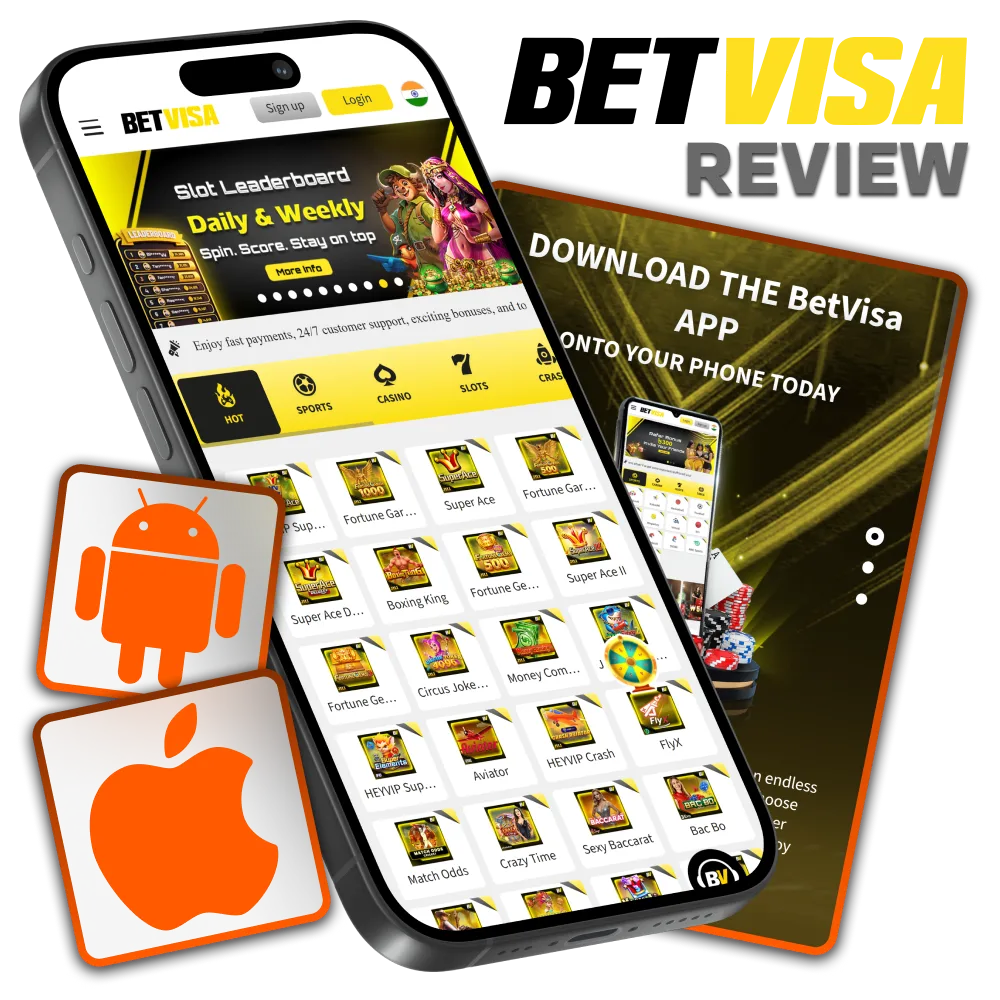
Betvisa App Overview
The Betvisa application is a dedicated mobile platform serving real-money casino and sportsbook players across Asia, with strong localisation for Indian users. It combines a broad game library with competitive odds and multiple INR-compatible payment options. The table below summarises the key technical and operational details.
|
App Category Real-money casino and sportsbook |
Licence Curacao eGaming (licence no. 365/JAZ) |
|
Supported OS Android (APK), iOS (PWA) |
Latest Version 2.1.0 (2026) |
|
Release Date 2020 |
Cost of Download Free |
|
App Languages English, Hindi, Bengali |
Supported Countries India, Bangladesh, Vietnam, Thailand, and other Asian markets |
|
Welcome Bonus – Sports 100% first deposit bonus up to INR 20,000 |
Welcome Bonus – Casino 200% first deposit bonus on slots and fishing |
|
Bet Types Single, accumulator, system, live (in-play) |
Support Service 24/7 live chat, email |
|
Customer Support Languages English, Hindi |
Interface of Betvisa App
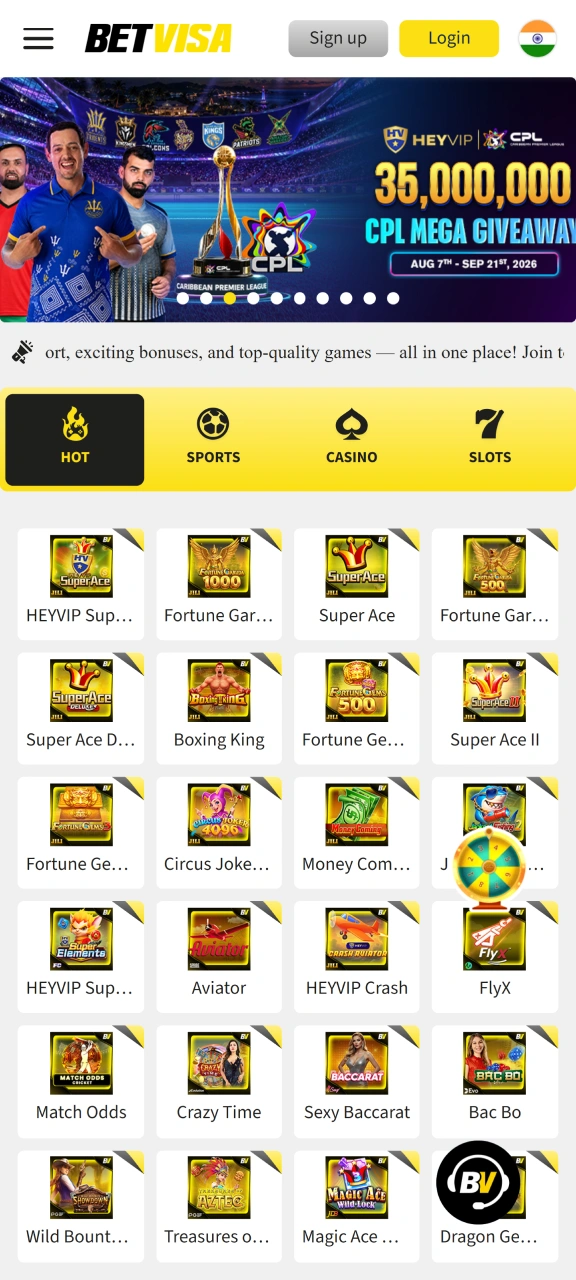
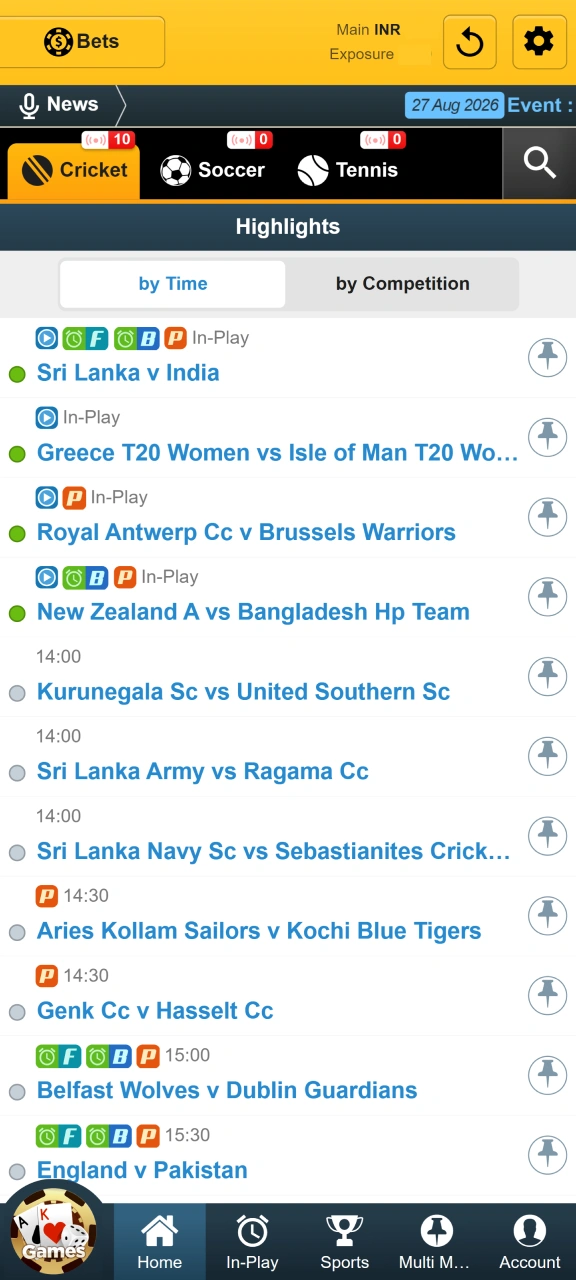
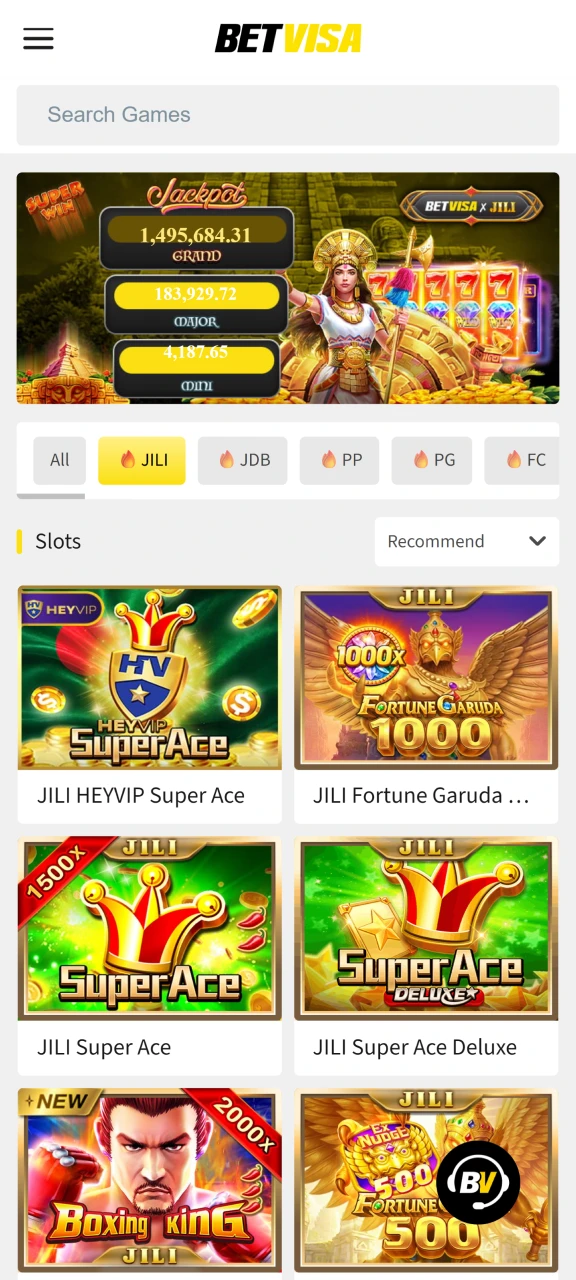
The Betvisa app interface follows a dark-themed layout with a bottom navigation bar, giving instant access to Sports, Casino, Promotions, and Account sections without scrolling. Touch targets are sized for single-handed use, and the lobby loads within 2 to 3 seconds on a standard 4G connection, which reduces friction for players placing time-sensitive bets. Download the app now and explore a platform built for fast, focused mobile play.
Betvisa APK Overview
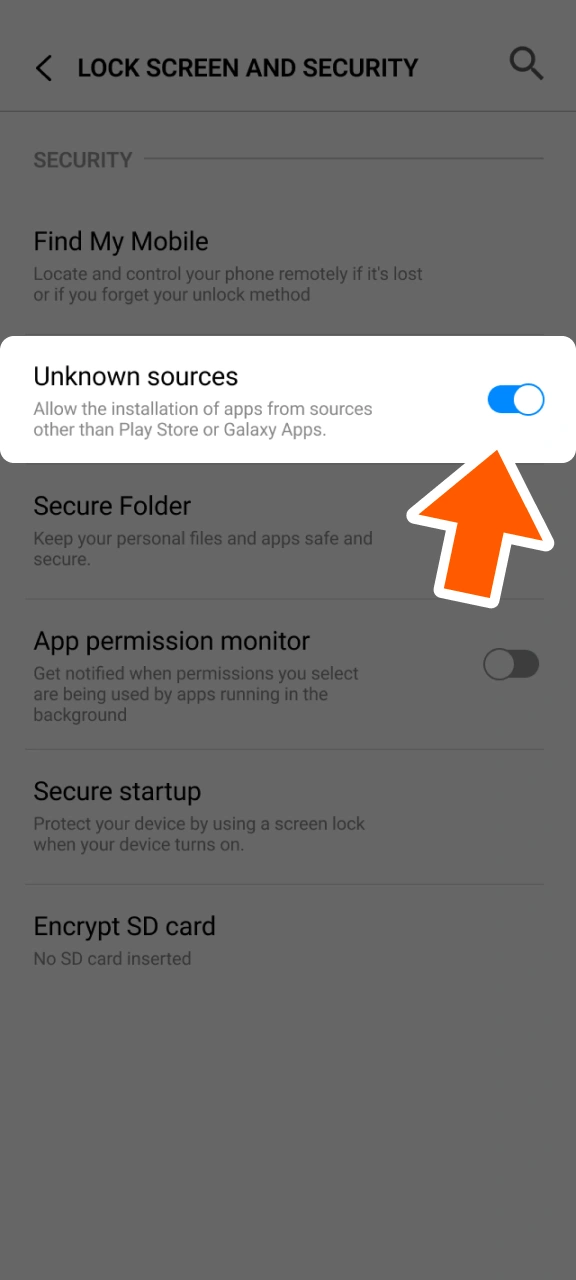
The Betvisa APK is the Android installation file distributed directly from the official website, bypassing the Google Play Store restriction on real-money gambling apps in India. This direct distribution model means updates are controlled by the developer and released independently of any app store review cycle. The APK file size is compact enough to download on a standard mobile data connection without significant data usage. Installation requires enabling “Unknown Sources” in Android settings, a one-time step that takes under 30 seconds on most devices.
| Parameter | Details |
|---|---|
| App Title | Betvisa |
| Version Number | 2.1.0 |
| Release Date | March 2026 |
| File Size | Approximately 32 MB |
| App Category | Casino and sportsbook |
| Last Updated Date | March 2026 |
| Developer Name | Betvisa |
| OS Compatibility | Android |
| Minimum Android Version | Android 5.0 (Lollipop) |
Download Betvisa APK for Android in 4 Steps
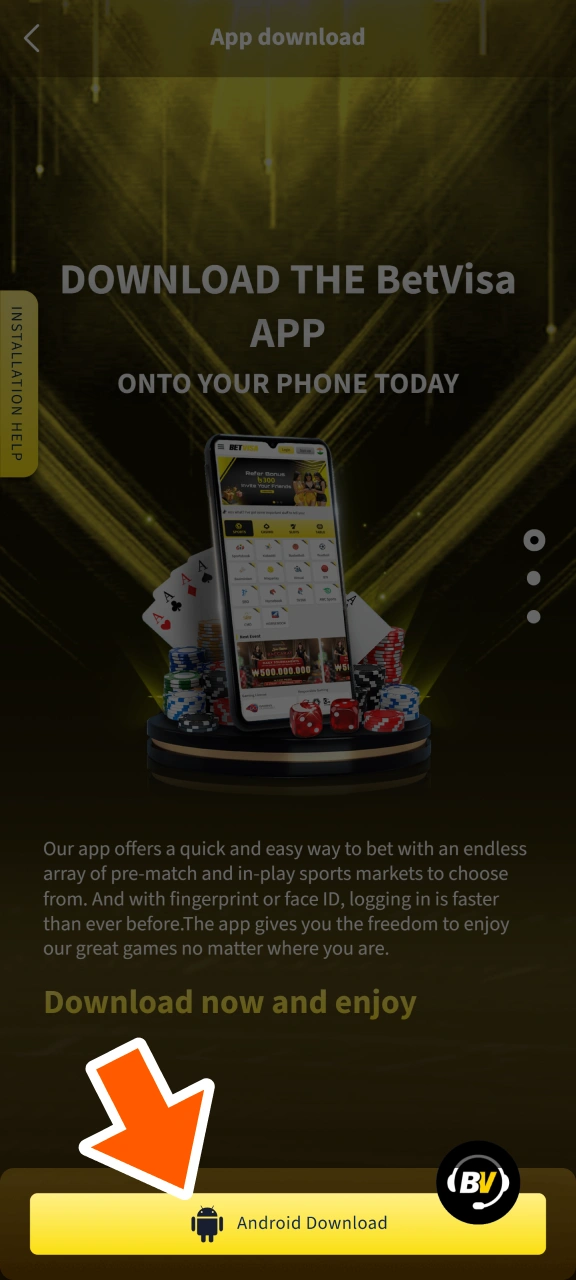
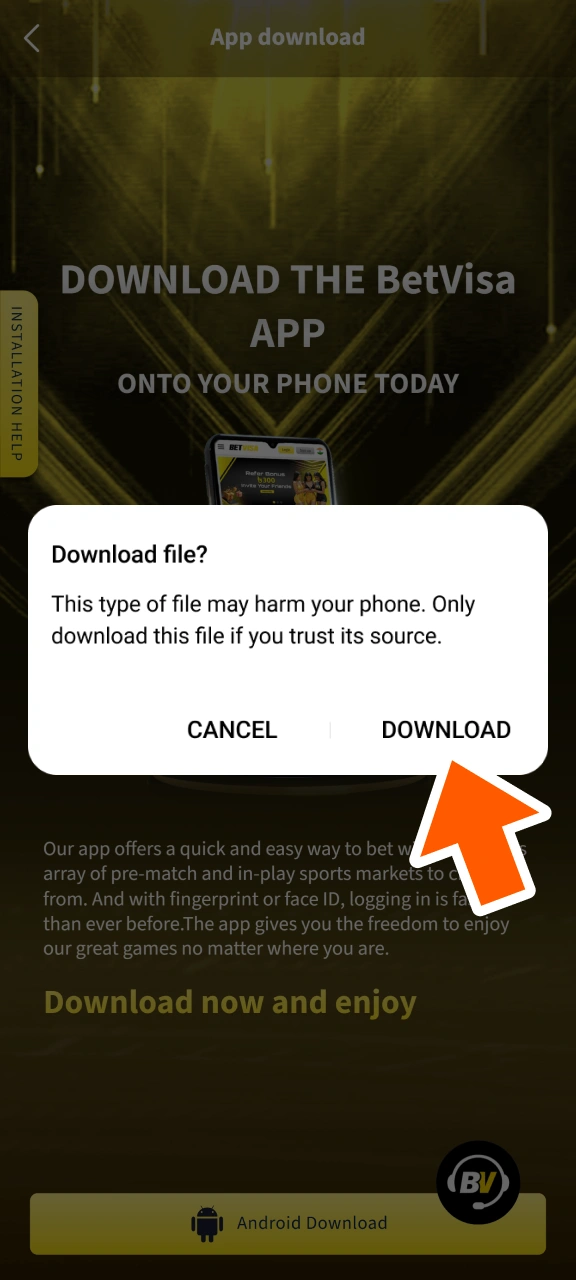
Installing the APK on Android takes under 3 minutes from start to finish. Follow the four steps below to complete the setup.
Step 1 Download the Betvisa APK
Step 2 Agree to Download in the Pop-Up
Step 3 Allow Installation from Unknown Sources
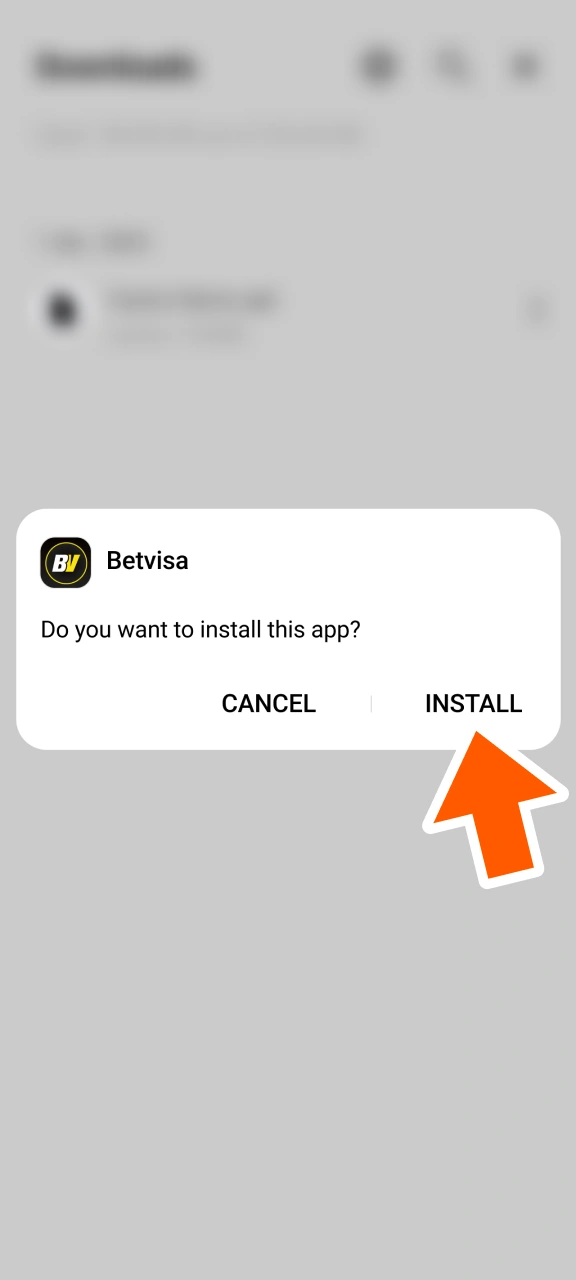
Step 4 Confirm the Installation
System Requirements for Android
The Betvisa APK is engineered to run on mid-range Android hardware, so most devices purchased after 2018 will meet the requirements without any configuration changes. Devices with less than 2 GB of RAM may experience slower load times during live casino sessions with high-quality video streams.
| Requirement | Specification |
|---|---|
| Android Version | 5.0 (Lollipop) or higher |
| Minimum RAM | 2 GB |
| Processor | Quad-core 1.4 GHz or faster |
| Storage Space | At least 60 MB free |
Supported Devices for Betvisa APK Version
The APK is compatible with a broad range of Android smartphones, including popular brands available in the Indian market at every price tier. The application has been tested on devices running Android 5.0 through Android 15, confirming stable performance across several hardware generations. Players using flagships from Samsung, OnePlus, or Xiaomi will experience the fastest rendering, though even budget Redmi and Realme devices handle the app without critical errors.
| Brand | Models |
|---|---|
| Samsung | Galaxy A55, Galaxy A35, Galaxy S24, Galaxy S24 Ultra, Galaxy M55 |
| Sony | Xperia 1 VI, Xperia 5 VI, Xperia 10 VI |
| Huawei | P60 Pro, Mate 60 Pro, Nova 12 |
| OnePlus | 12, 12R, Nord CE 4, Nord 4 |
| Oppo | Reno 12 Pro, Find X7, A3 Pro |
| Pixel 8, Pixel 8 Pro, Pixel 8a, Pixel 9 | |
| Xiaomi | Redmi Note 13 Pro, Mi 14, Poco X6 Pro |
| Poco | Poco F6, Poco X6, Poco M6 Pro |
Download Betvisa App for iOS (PWA) in 5 Steps
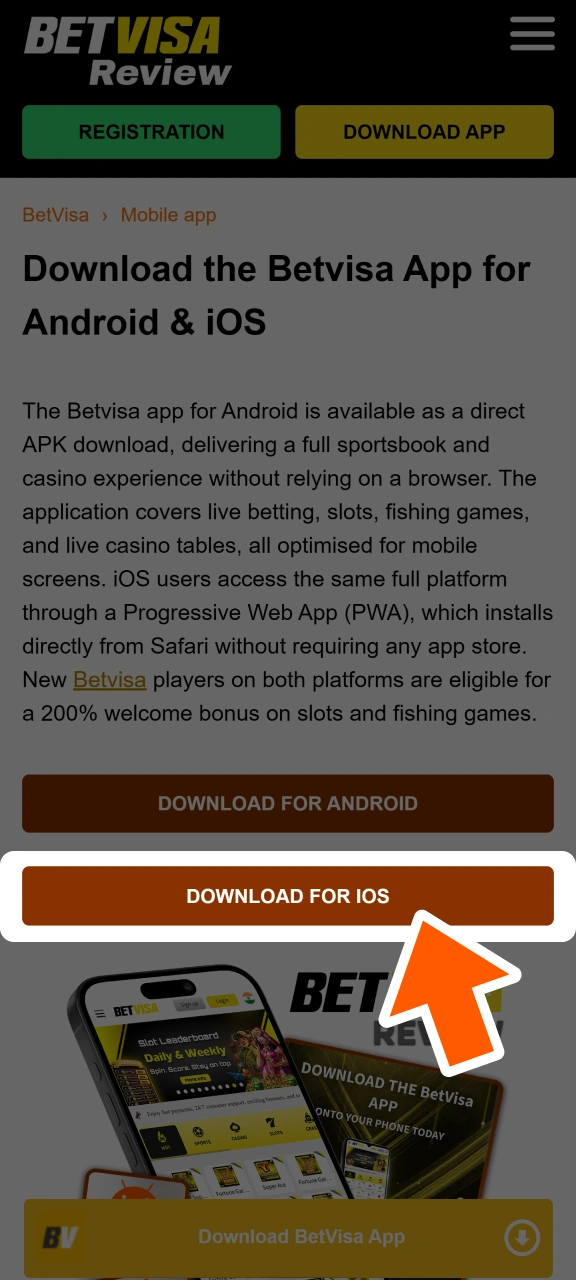
The Betvisa PWA for iOS installs directly through Safari and behaves like a native app on your home screen. No third-party store is required, and the entire setup process takes under 2 minutes.
Step 1 Click Download for iOS
Step 2 Login or Sign Up
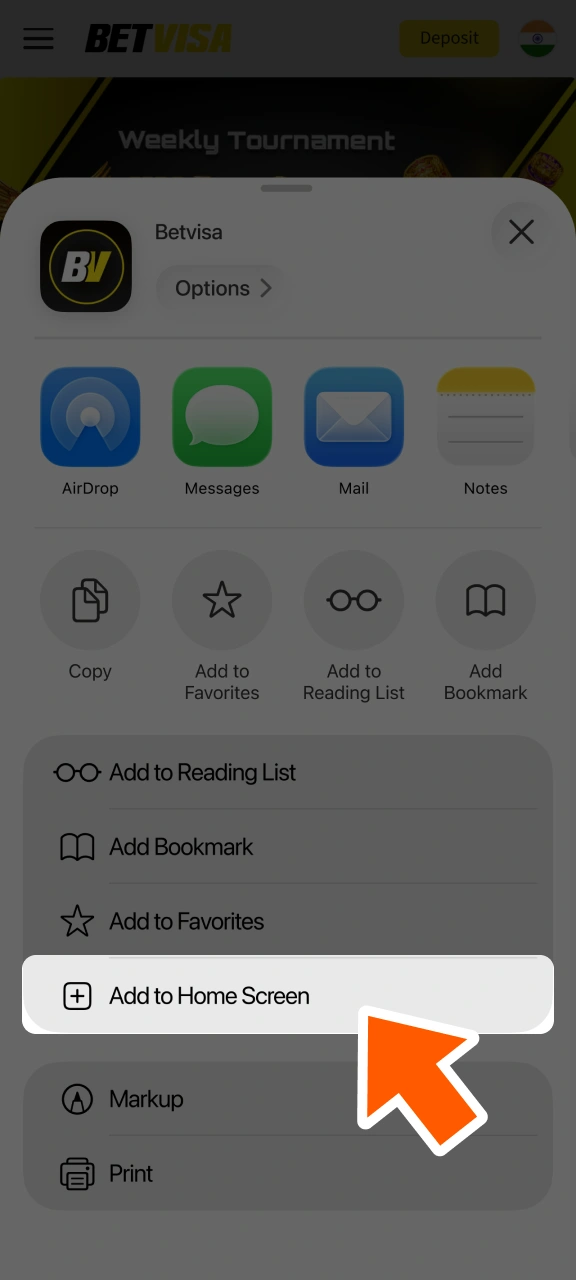
Step 3 Tap the “Share” Button
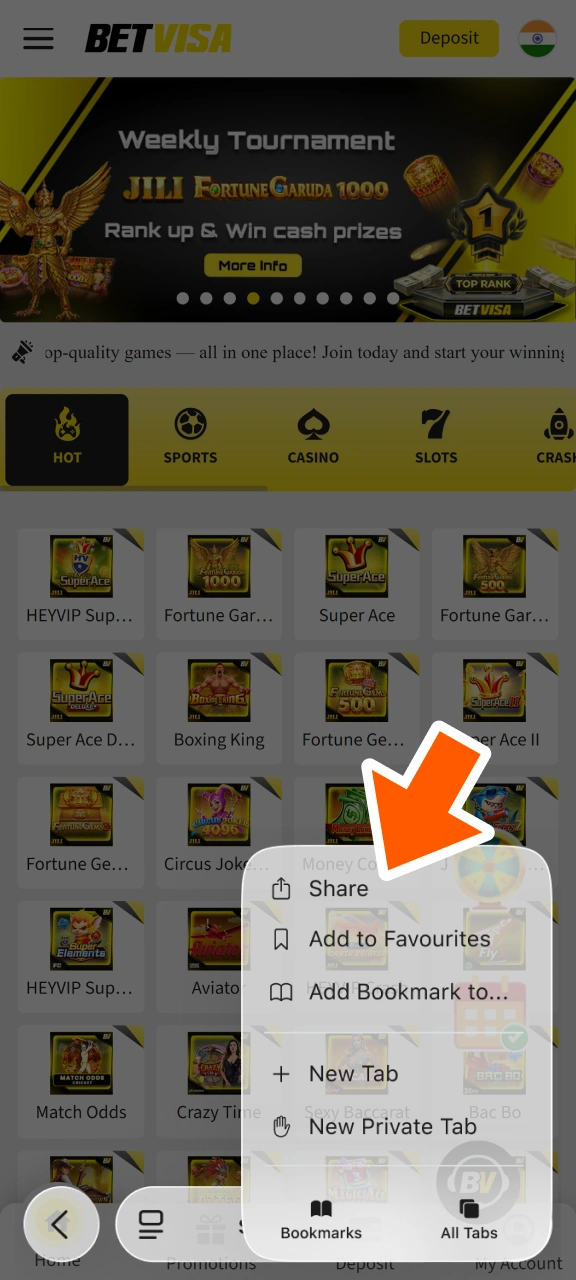
Step 4 Select “Add to Home Screen”
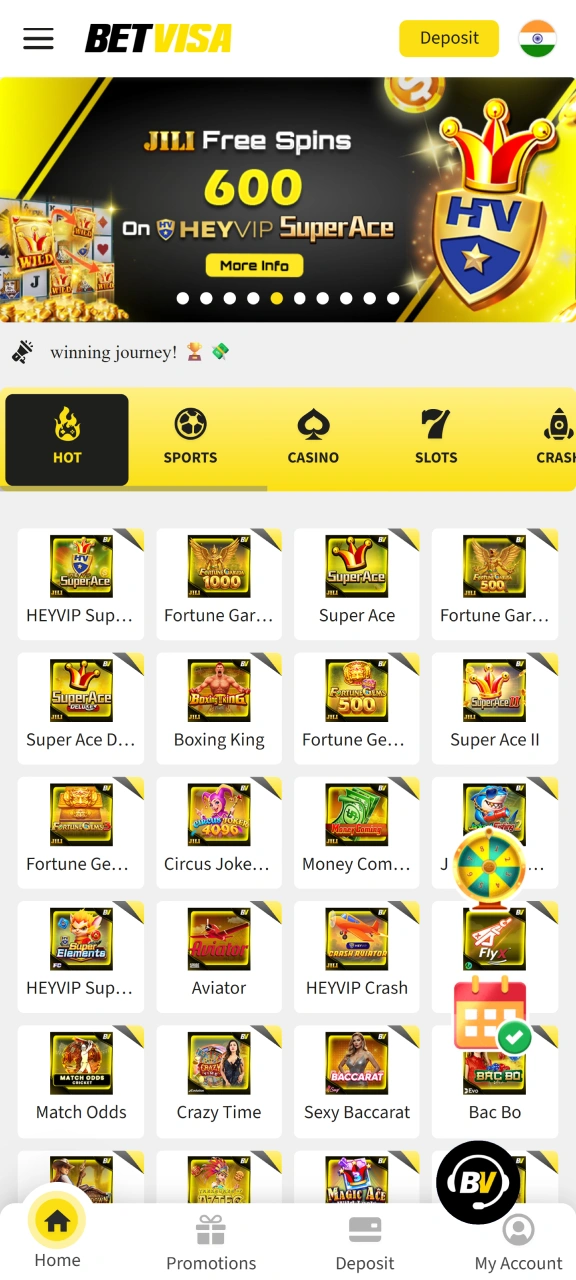
Step 5 Begin Exploring
Supported Devices for Betvisa iOS Version
The Betvisa PWA is fully supported on iPhones running iOS 14.0 or later, which covers every iPhone model released from 2020 onward. Safari is required as the installation browser; Chrome and Firefox on iOS do not support the “Add to Home Screen” PWA installation method. Players on iPhone 12 and newer will benefit from the fastest load times due to improved WebKit rendering in iOS 15 and above.
| Brand | Models |
|---|---|
| Apple | iPhone SE (2022), iPhone 12, iPhone 12 Pro, iPhone 13, iPhone 13 Pro, iPhone 14, iPhone 14 Pro, iPhone 15, iPhone 15 Pro, iPhone 15 Pro Max, iPhone 16, iPhone 16 Pro, iPhone 16 Pro Max |
Registration Process via App
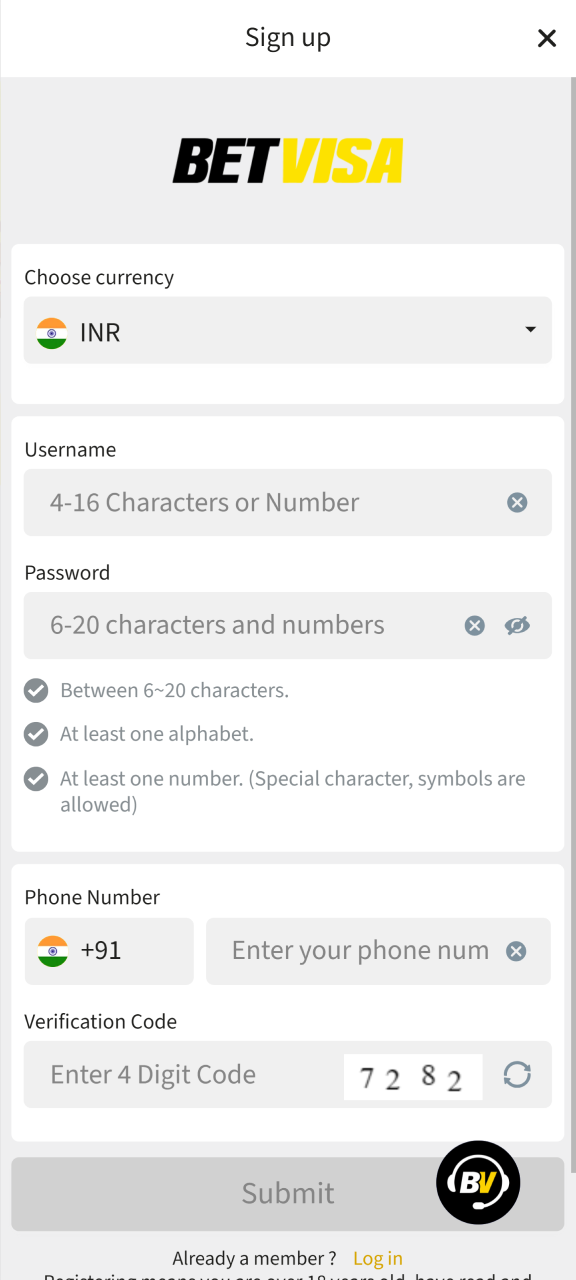
Creating a Betvisa account through the mobile app takes under 3 minutes and requires only basic personal details. Complete the steps below to register and gain access to the full platform.
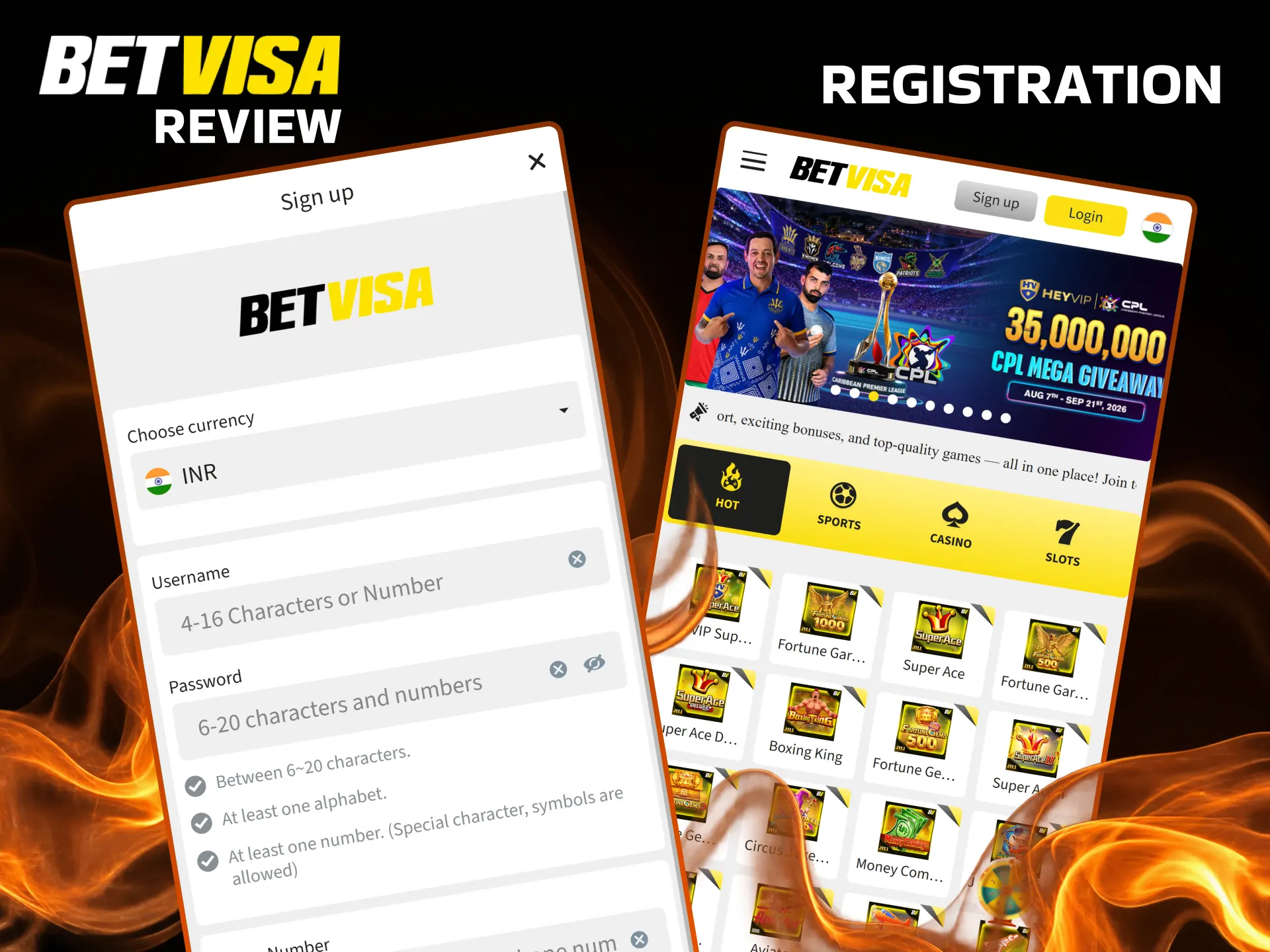
- Open the app and tap the “Register” button on the home screen.
- Enter your mobile number or email address, set a password, and select INR as your preferred currency.
- Enter the referral or promo code if you have one, then tap “Submit” to create your account.
- Complete identity verification by uploading a government-issued ID (Aadhaar card or PAN card) to activate withdrawal access.
Once verified, your account is fully active and eligible for all available welcome bonuses from the first deposit onward.
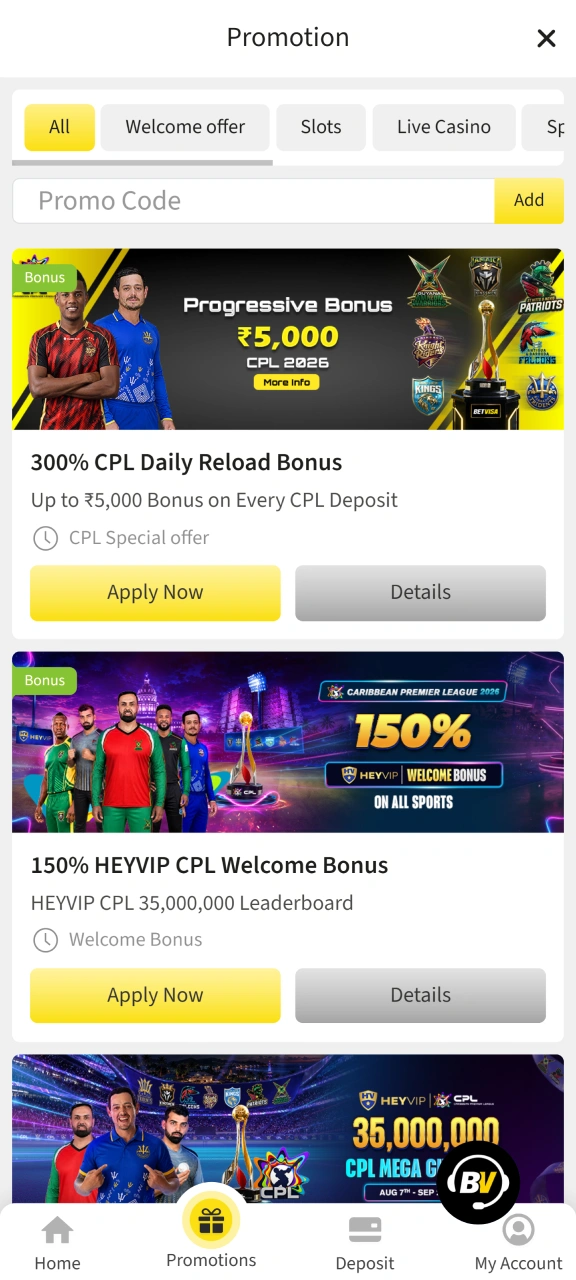
Welcome Bonus for Mobile Players
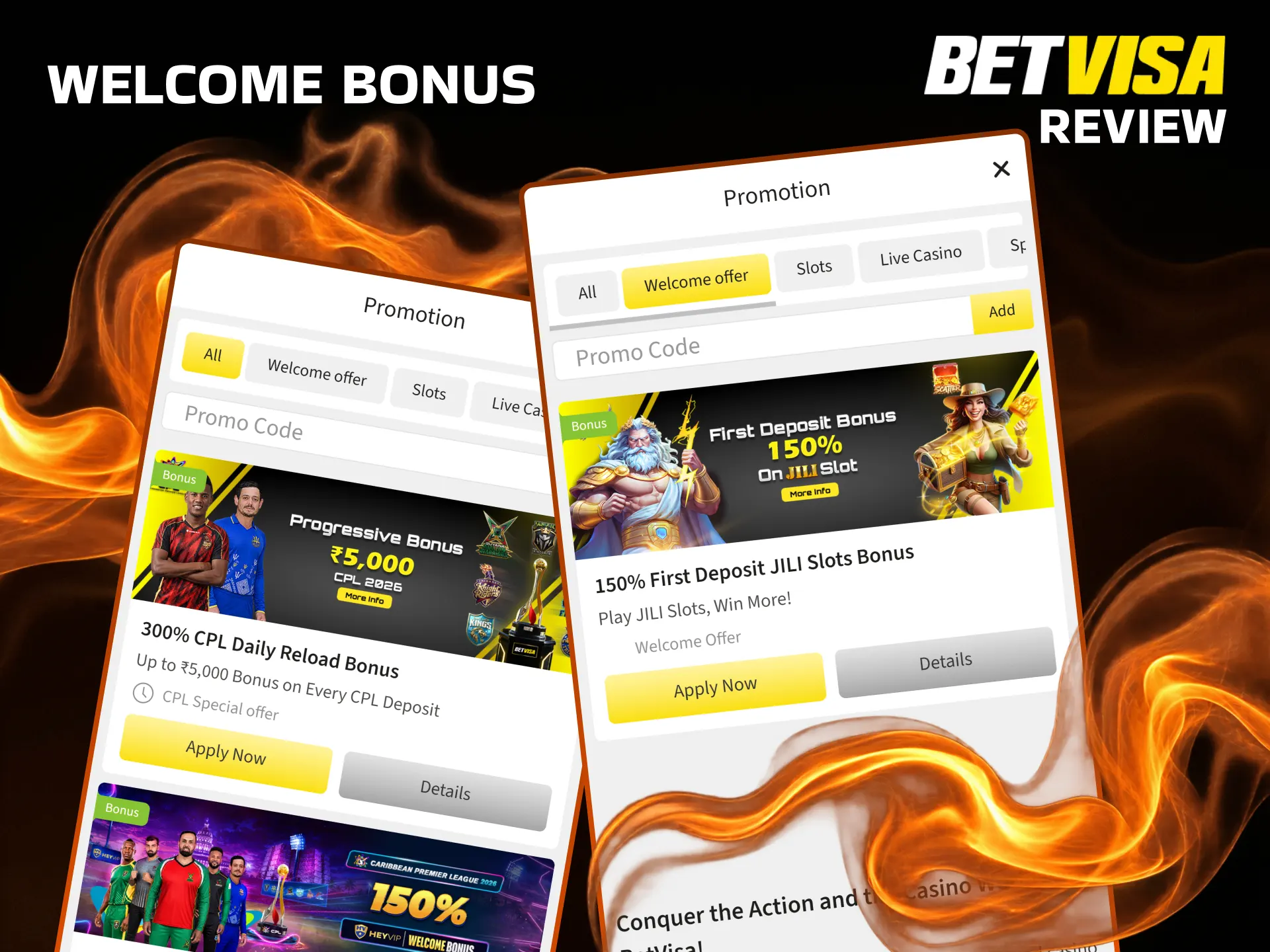
New players who register through the mobile app qualify for the same welcome offer as desktop users, with no platform restriction applied. The casino welcome bonus delivers a 200% match on the first deposit made to the slots and fishing game categories, which is among the more generous entry offers currently available to Indian players. The maximum bonus amount a player can receive is INR 2,000 on the initial qualifying deposit. Sports bettors receive a separate 100% first deposit bonus up to INR 20,000, meaning both verticals carry independent welcome offers and can be claimed based on which product you prioritise first.
How to Update Betvisa App to the Latest Version
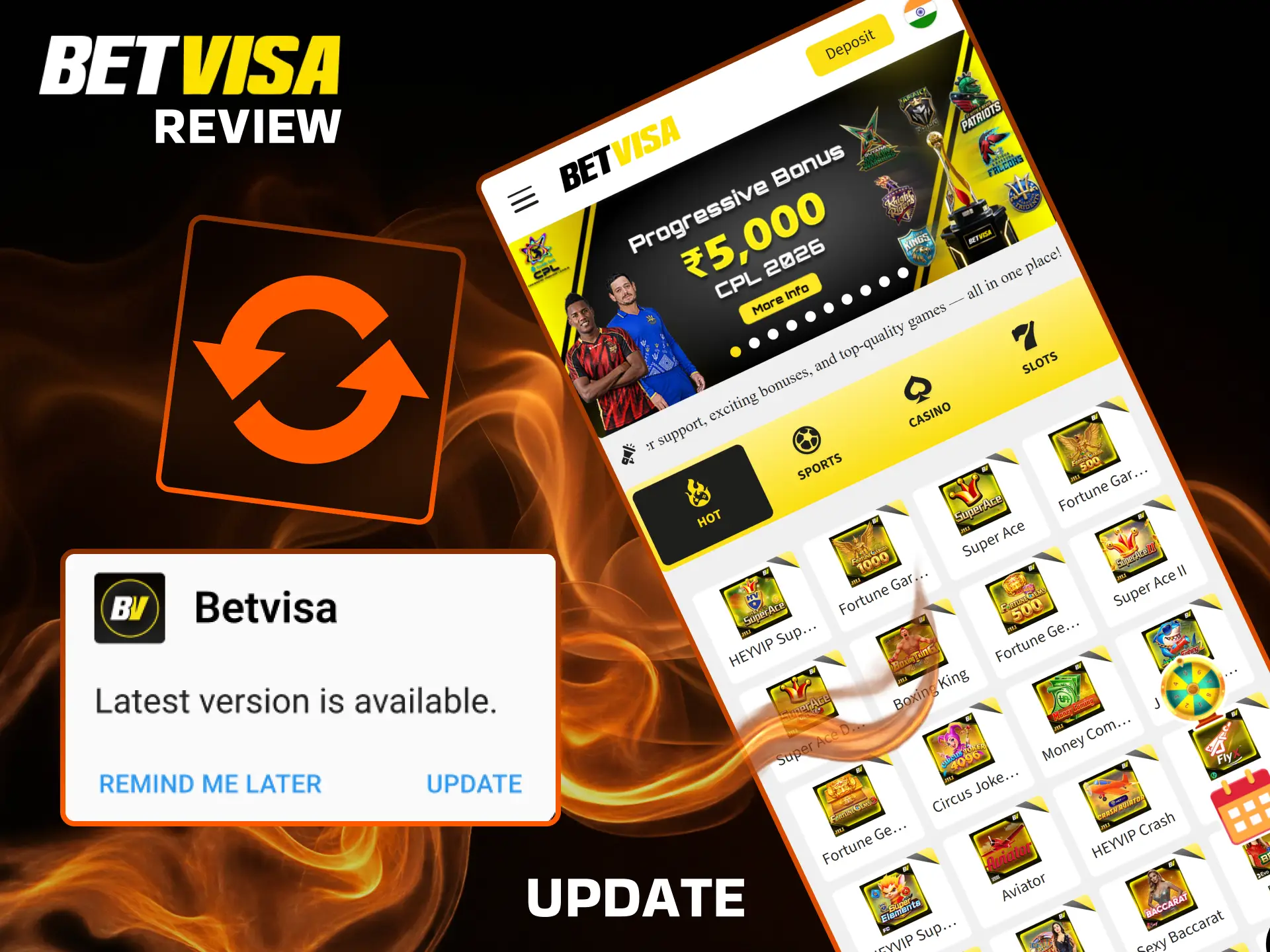
The Android app notifies users of available updates through an in-app banner or a push notification sent to the device. Follow the steps below to complete the update.
- Open the app after receiving the update notification or tap the notification directly to launch it.
- Tap the “Update Now” button displayed in the app’s update prompt.
- Confirm the APK download when your device asks for permission to install the new version.
- Once installation completes, relaunch the app to access the updated version.
Updating promptly ensures you have access to the latest odds feeds, newly added game titles, and any security patches released by the development team. The PWA version for iOS updates automatically each time you open it in Safari, requiring no manual action from iOS users.
Importance of Updating Betvisa App
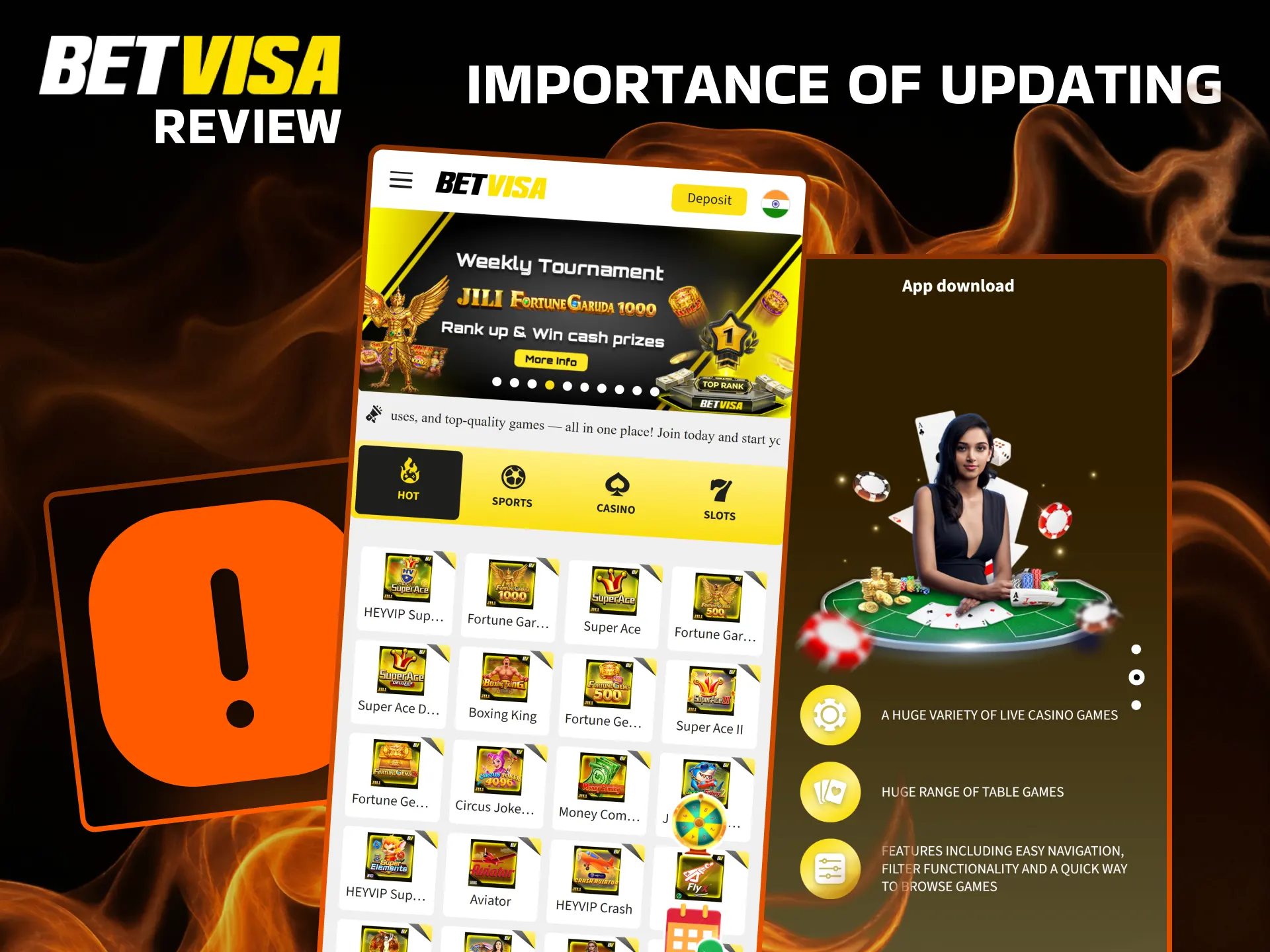
Each new version of the Betvisa app typically includes a combination of performance optimisations, security patches, and new feature rollouts, so running an outdated version can expose your account to resolved vulnerabilities or prevent access to newly added games. Security updates in particular address encryption and session management protocols, which directly affect how safely your financial and personal data is handled during every transaction. Bug fixes included in updates also resolve known interface or payment processing errors that may cause failed deposits or display glitches on specific Android models. Installing each update as soon as it becomes available is the single most effective way to maintain a stable and secure experience on the platform.
Make Your First Bet in the Betvisa App
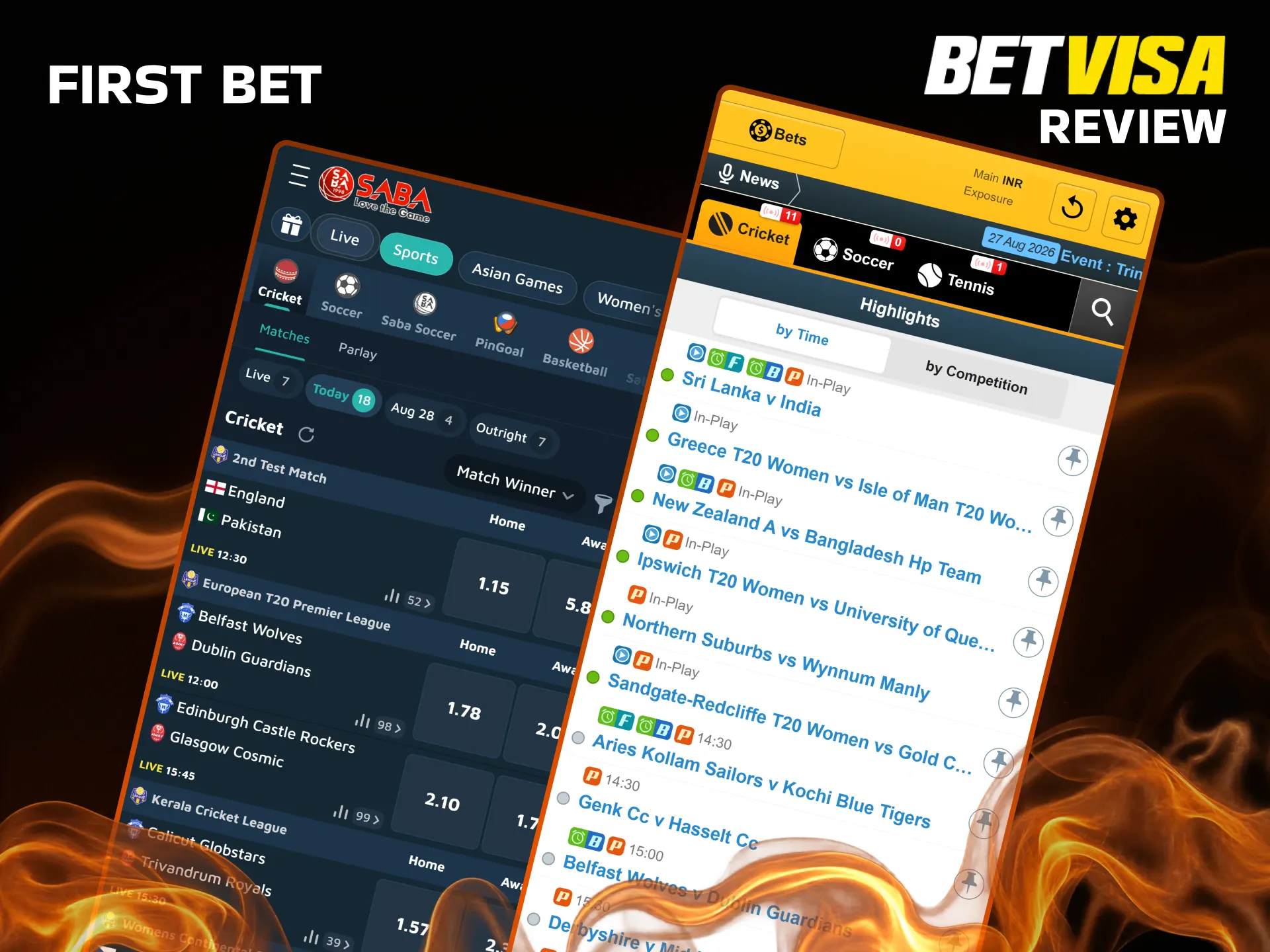
The Betvisa app is structured so that a first-time bettor can move from registration to a confirmed wager in under 5 minutes. The sportsbook interface presents odds in decimal format by default, with an option to switch to fractional in the account settings. Follow the steps below to place your opening bet.
- Log in to the app and tap “Sports” in the bottom navigation bar.
- Select your preferred sport, such as cricket or football, and choose a match from the event list.
- Tap the odds for your chosen outcome to add it to the bet slip, enter your stake in INR, and review the potential return.
- Tap “Place Bet” to confirm the wager.
The bet slip updates instantly after confirmation, and your account balance reflects the deducted stake within seconds.
How to Delete Betvisa App
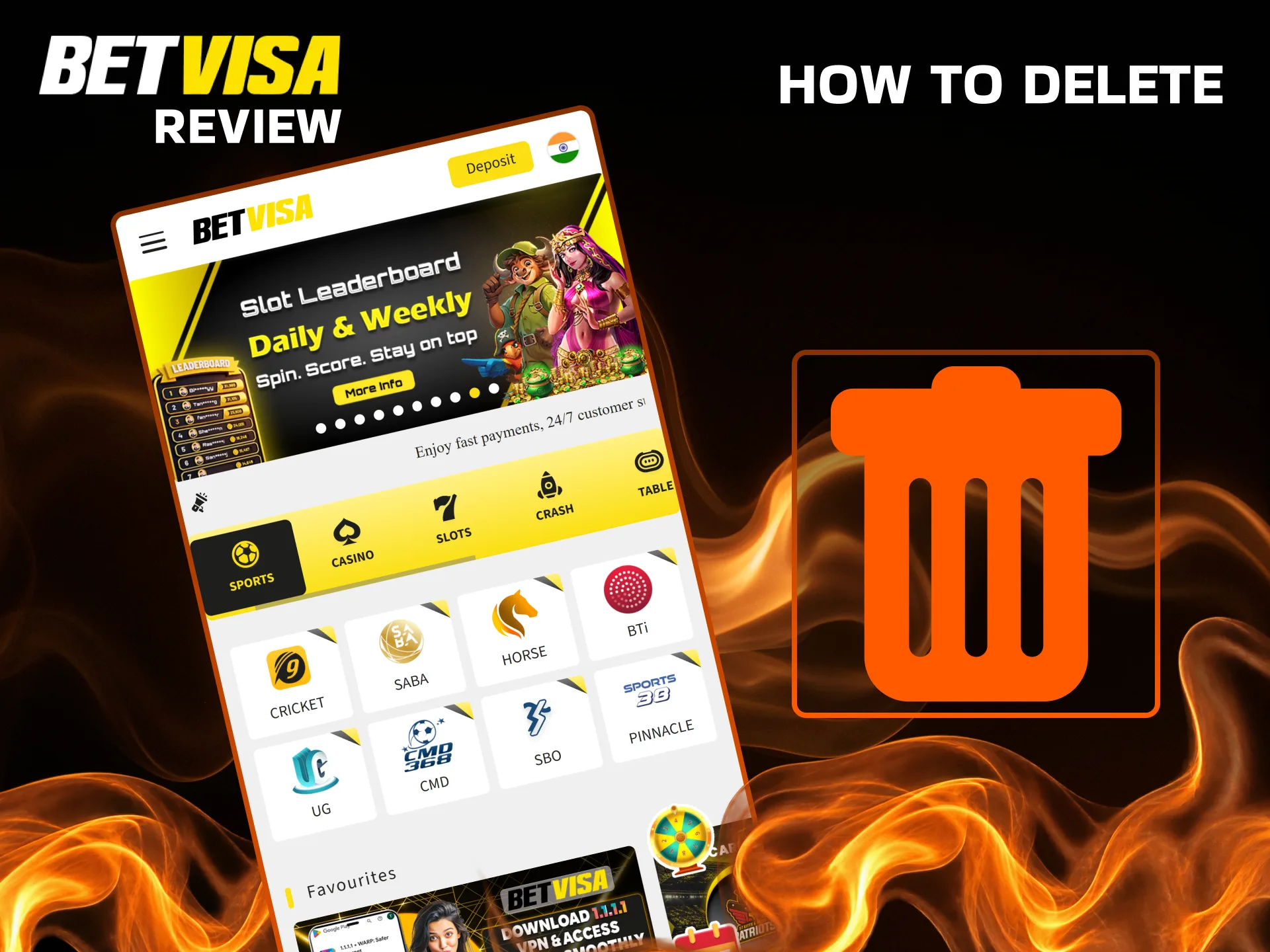
To remove the Android APK, press and hold the Betvisa icon on your home screen or app drawer, then drag it to the “Uninstall” option or tap “Uninstall” from the contextual menu that appears. On some Android skins such as MIUI or One UI, you can also go to Settings, then Apps, locate Betvisa in the list, and tap “Uninstall” from the app info page. Uninstalling the APK does not close your Betvisa account or affect your balance, which remains accessible via the browser version or a reinstalled app at any time.
Betvisa App Features
The Betvisa application consolidates sportsbook and casino products under a single login, removing the need to switch between separate platforms. The navigation architecture places Sports, Casino, Promotions, and Account sections in a persistent bottom bar, accessible from any screen without returning to a home page. Game search and filter tools allow players to sort by provider, category, or RTP range, reducing the time needed to locate a specific title. The deposit and withdrawal interfaces are embedded within the account section, enabling fund management without leaving the app. Push notifications deliver real-time alerts for promotions, match start times, and withdrawal status updates. Across all features, the app maintains a consistent response speed on 4G connections, with page transitions averaging under 2 seconds.
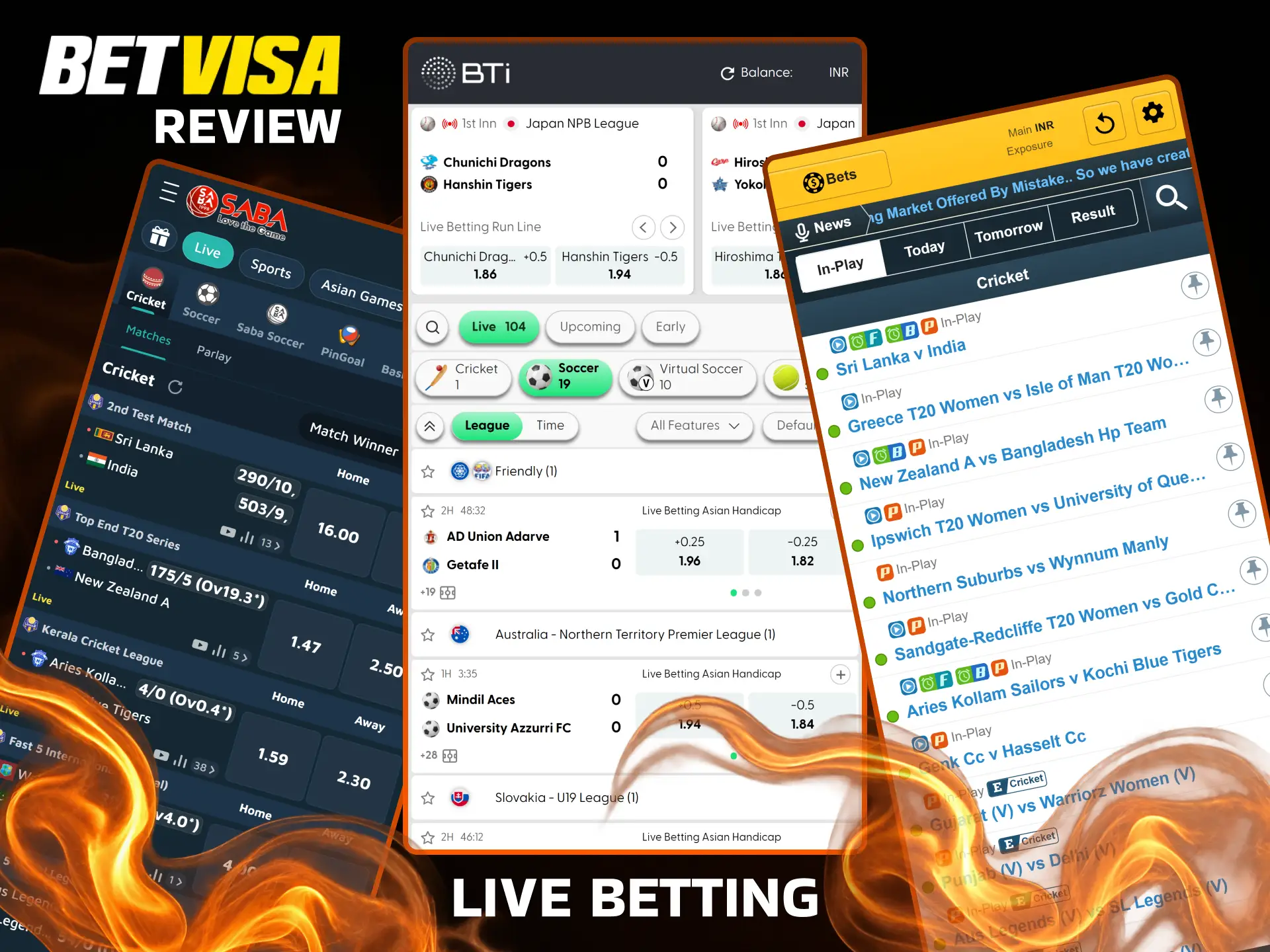
Live Betting Features
The Betvisa live betting section is accessible directly from the Sports tab and updates odds at intervals of 3 to 5 seconds during active matches. Cricket receives the deepest in-play coverage among Indian sports, with markets for each ball, over, wicket method, and session totals available during IPL and international fixtures. Football, kabaddi, and tennis are also available for in-play wagering, covering both domestic and international events. The interface displays a live match tracker with visual score updates alongside the odds panel, so users can follow match progression without switching to an external source. Cash-out functionality is available on eligible pre-match and live bets, giving players the option to settle a wager before the event concludes. Live streaming is available for selected events directly within the app, activated by an active balance in the account. The combination of fast odds refresh and in-app streaming positions the live betting section as one of the more complete in-play offerings available to Indian mobile bettors in 2026.
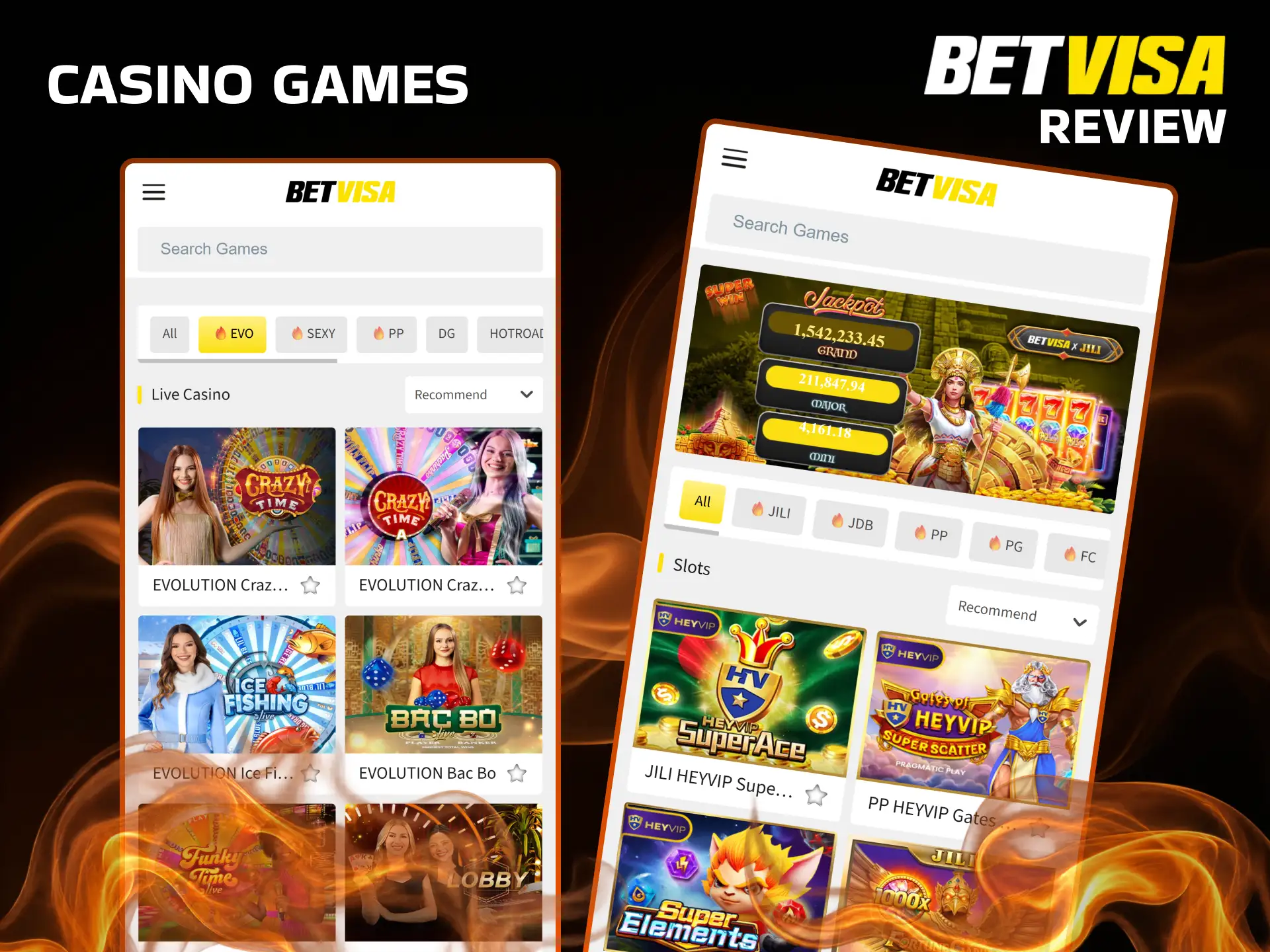
Casino Games Features
The Betvisa casino library contains over 5,000 titles spanning slots, live dealer tables, fishing games, and instant win products. Game providers integrated into the platform include Evolution Gaming, Pragmatic Play, PG Soft, Jili, and Spribe, covering the full spectrum from premium live dealer studios to provably fair crash games. Slots load within 2 to 4 seconds on a 4G connection, with games using HTML5 technology that adapts to any screen size without quality reduction. The live casino section features dedicated tables for Teen Patti and Andar Bahar, two formats with strong demand among Indian players, streamed from studios in HD resolution. Fishing games from Jili are featured prominently in the lobby, given their popularity in the Asian market. Game history and round results are stored in the account section, allowing players to review previous sessions at any time. The depth of the provider network ensures that game variety remains competitive relative to other platforms targeting Indian users in 2026.
Deposit Features
The Betvisa app supports INR deposits through multiple locally familiar methods, removing the currency conversion step that adds friction on internationally focused platforms. Deposits are credited to the account balance within minutes for UPI and net banking transactions, making them suitable for time-sensitive situations such as funding an account before a match starts. All payment data transmitted during a deposit is protected by 128-bit SSL encryption, applied at the connection level before any credentials are submitted. The minimum deposit threshold is low enough to accommodate casual players, while the maximum ceiling supports high-volume users without requiring multiple transactions.
| Parameter | Details |
|---|---|
| Available Payment Methods | UPI, Net Banking, PhonePe, Paytm, Google Pay, IMPS, Cryptocurrency |
| Deposit Minimum / Maximum | INR 300 minimum / INR 1,000,000 maximum |
| Transaction Security | 128-bit SSL encryption |
| Processing Time | Instant to 5 minutes |
Withdrawal Features
Withdrawals from the Betvisa app are processed through the same INR-compatible channels used for deposits, maintaining consistency across the payment flow. Bank transfer withdrawals are the most widely used method among Indian players and are typically processed within 24 hours of request submission, subject to the daily verification cut-off. Cryptocurrency withdrawals offer the fastest settlement times, with most requests processed within 1 hour. All withdrawal requests go through a manual review step for amounts exceeding INR 50,000, which is a standard fraud prevention measure across regulated platforms. Players must complete KYC verification before their first withdrawal can be approved, a requirement driven by the platform’s Curacao licence obligations.
| Parameter | Details |
|---|---|
| Available Withdrawal Methods | Bank Transfer, UPI, Paytm, Cryptocurrency |
| Withdrawal Minimum / Maximum | INR 500 minimum / INR 500,000 maximum per transaction |
| Transaction Security | 128-bit SSL encryption, manual fraud review |
| Processing Time | 1 to 24 hours depending on method |
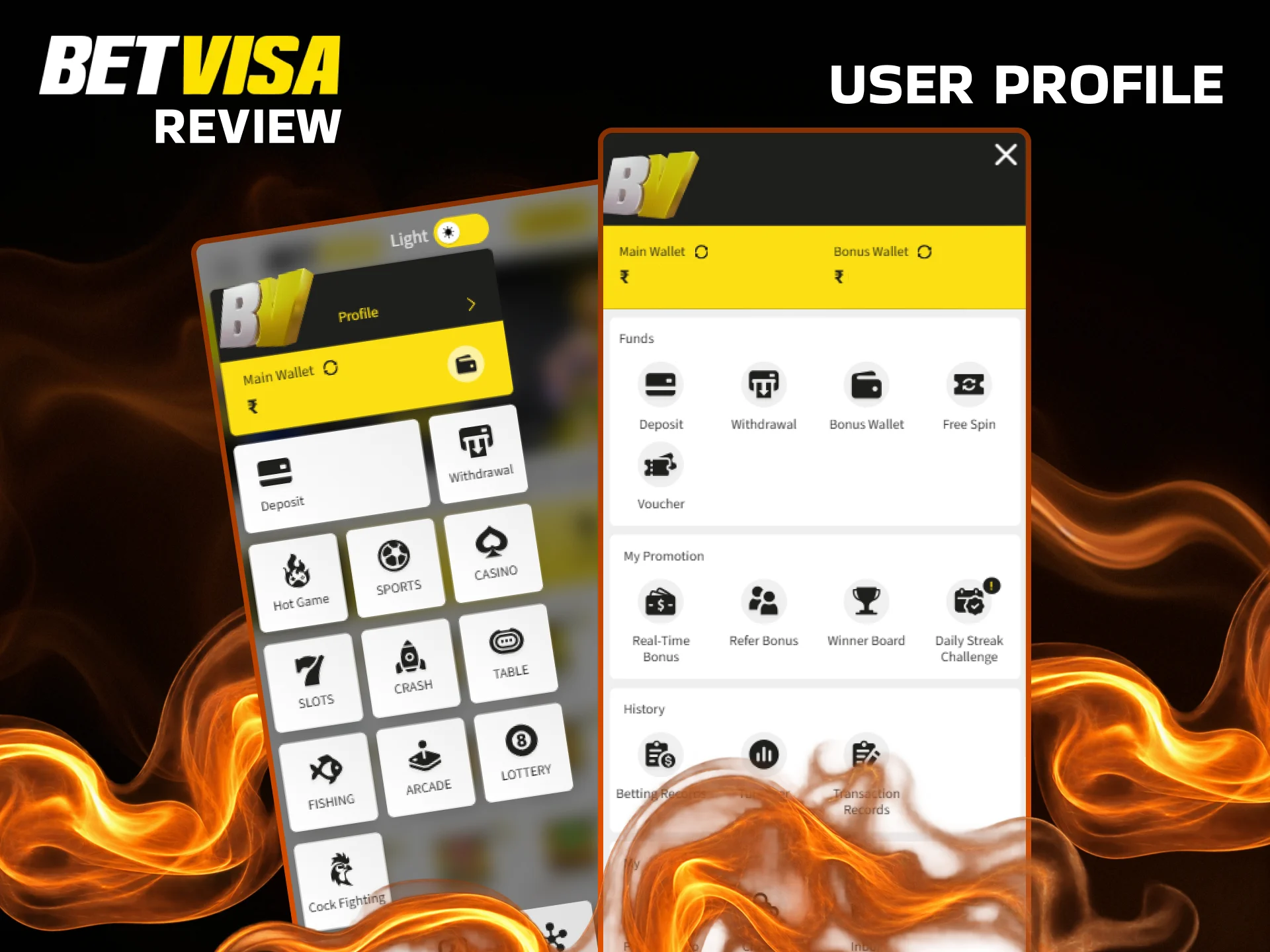
User Profile Features
The Betvisa account section gives players centralised control over all personal and financial settings from a single menu. The balance display at the top of the profile screen shows the main wallet balance alongside any active bonus balance as separate figures, preventing confusion between real funds and restricted bonus amounts. Transaction history is filterable by date range and transaction type, covering deposits, withdrawals, and bonus credits independently. Personal details including name, date of birth, and contact information can be reviewed in the profile settings, with changes to sensitive fields requiring customer support verification for security reasons. Responsible gambling tools are accessible from the profile menu, including deposit limits and self-exclusion options. Saved payment methods can be managed within the account, reducing the data entry required for repeat deposits. The profile section consolidates account management into a coherent structure, which reduces the number of steps needed to perform routine tasks.
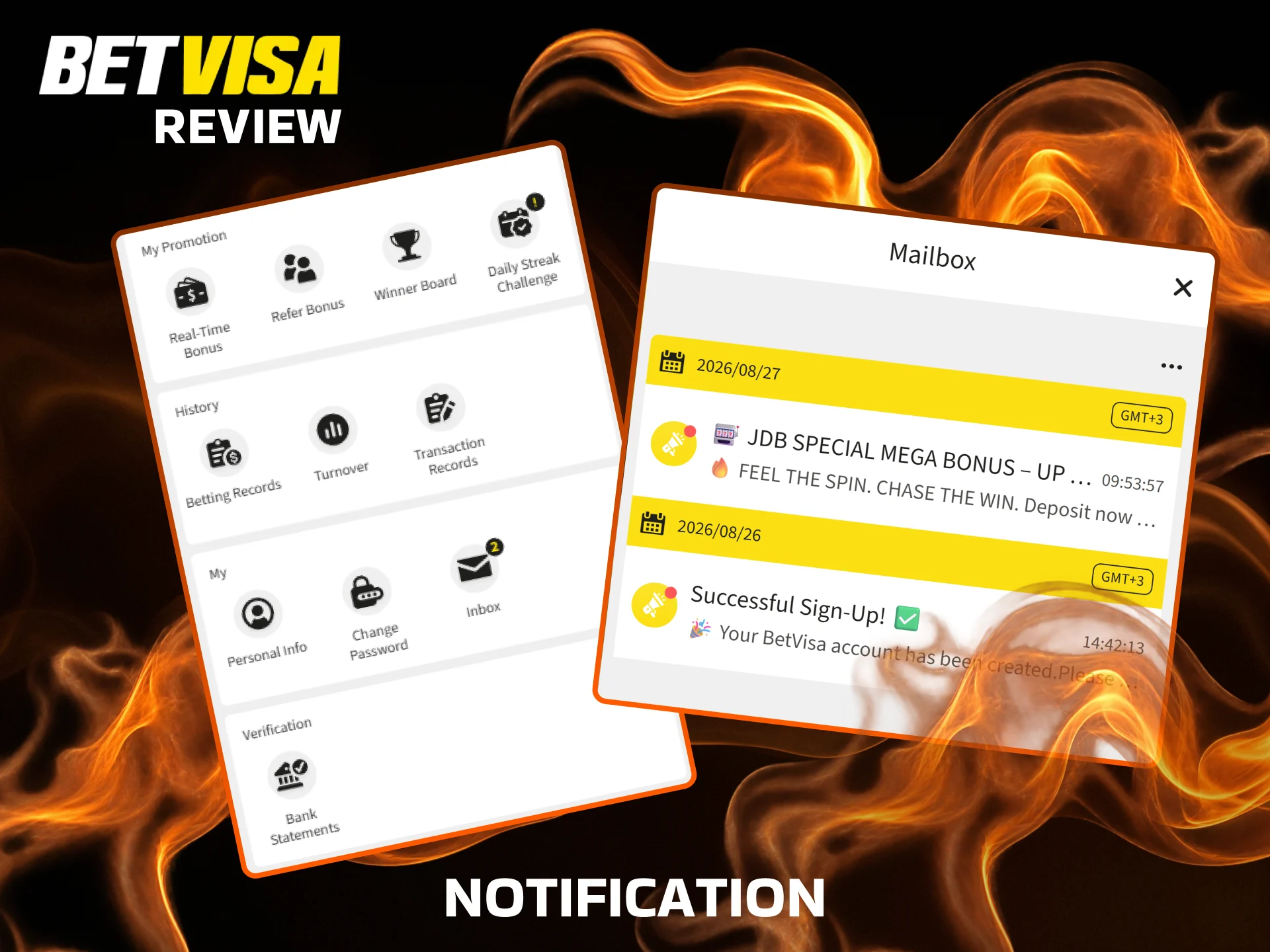
Notification Features
The Betvisa app delivers push notifications for four primary event categories: promotional offers, deposit and withdrawal status updates, live match start alerts, and account security events such as new login detections. Notification permissions are requested during the initial app setup, and players can adjust individual notification categories from the Android system notification settings at any time. Promotional notifications are triggered by eligibility, meaning a player only receives bonus alerts for offers they qualify for based on their account activity. Match start notifications for sports events are configurable per sport, so a cricket-focused user can disable football alerts without affecting other notification types. Delivery reliability depends on the device’s battery optimisation settings; Android devices with aggressive power management may delay or suppress background notifications unless the app is whitelisted. Security notifications, including login alerts from unrecognised devices, are sent regardless of individual preference settings and cannot be disabled. Maintaining notifications for account security events is particularly useful for players who access their account from multiple devices.
Betvisa App Security Protocols
The Betvisa application applies 128-bit SSL encryption to all data transmitted between the user’s device and the platform’s servers, covering login credentials, personal details, and payment information equally. This encryption standard is the same protocol used by commercial banking applications in India, which provides a useful reference point for evaluating its protection level. Session tokens are generated fresh at each login and expire automatically after a defined period of inactivity, reducing the risk associated with unattended or stolen devices. Payment security is reinforced by a separate transaction verification layer that cross-references the account’s registered details against the payment method before processing any withdrawal. Two-factor authentication (2FA) is available as an optional account setting, adding a one-time password requirement via SMS at each login. Account data is stored on servers certified under international data protection standards, with no third-party data sharing beyond what is required for KYC compliance under the Curacao licence. Players are notified by push alert and email if a login is detected from a device or location not previously associated with the account. The combination of encryption, session management, 2FA, and anomaly detection creates a layered security architecture that addresses both network-level and account-level threat vectors.
Betvisa App Device Permissions
The Betvisa APK requests a defined set of device permissions during installation and at first use, each tied to a specific functional requirement within the application. Internet access is the primary permission and is essential for loading all platform content, placing bets, and processing transactions over a mobile or Wi-Fi connection. Storage permission is requested to allow the app to save the APK update files locally during the update process, preventing the need to re-download the full installation file each time. Camera permission is optional and is used exclusively for KYC document scanning within the account verification flow, enabling players to photograph their ID directly inside the app rather than uploading a file from the gallery. Notification permission enables push alerts for promotions, match events, and account activity, and can be managed per category through Android system settings post-installation. Location permission is not requested by the application, as geo-restriction is handled at the account level through IP detection rather than GPS data. Biometric permission may be requested on supported devices to enable fingerprint or face unlock for the login screen, functioning as an alternative to the standard password entry. All permissions follow the principle of minimal access, meaning no permission category is requested beyond what is operationally required for its stated function.
FAQ
Is the Betvisa app legal to use in India?
Online gambling regulation in India is determined at the state level, and there is no central federal law that prohibits players from accessing offshore real-money platforms. The app operates under a Curacao eGaming licence (no. 365/JAZ), which is an internationally recognised regulatory framework. Indian players in most states can access and use the platform without legal restriction, though it is advisable to verify the specific regulations applicable in your state.
Does the app cost anything to download?
The APK download for Android and the PWA setup for iOS are both completely free. No subscription or one-time download fee is charged at any point, and the app itself has no in-app purchase structure.
Can I use the same account on both Android and iOS?
Yes. A single Betvisa account works across the Android APK, the iOS PWA, and the desktop browser version simultaneously. Balance, transaction history, and active bonuses are synchronised across all platforms in real time.
How long does a withdrawal take through the app?
Withdrawal processing times vary by method. Cryptocurrency withdrawals are typically completed within 1 hour, while bank transfers and UPI withdrawals are processed within 24 hours. The first withdrawal on any account requires KYC verification to be completed, which may extend the initial processing time.
Is there a difference between the app and the mobile browser site?
The APK provides faster navigation, push notifications, and a more consistent layout compared to the mobile browser version. The PWA for iOS bridges this gap significantly, but the Android APK offers the most stable performance overall on supported devices.
What happens to my balance if I uninstall the app?
Uninstalling the APK does not affect your account balance or any active bonuses. Your funds remain securely held in your account and are accessible as soon as you reinstall the app or log in via the browser.
Can I claim the welcome bonus if I register through the app?
Yes. Players who register through the mobile app are eligible for the full welcome bonus structure, including the 200% bonus on slots and fishing and the 100% sports welcome offer. Platform of registration does not affect bonus eligibility.
How do I contact support if I have an issue with the app?
The 24/7 live chat is accessible directly within the app from the Account section. Email support is also available for non-urgent queries. Response times via live chat are typically under 5 minutes for account and payment-related issues.